As a Continuous Integration tool, Jenkins allows seamless, ongoing development, testing, and deployment of newly created code. Continuous Integration is a process wherein developers commit changes to source code from a shared repository, and all the changes to the source code are built continuously. In this tutorial we are going to see how to install Jenkins on a linux machine.
First check you have installed any version of openjdk
apt list --installed | grep openjdk
If there is any version later than openjdk 11, you need to remove it.
In my case openjdk-18 was installed i removed it.
sudo apt-get autoremove openjdk-18-jre-headless
sudo apt-get autoremove openjdk-18-jdk-headless
Install openjdk-11
sudo apt install openjdk-11-jre
Verify your installation:-
Confirm the output shows openjdk-11
Add the keyring
curl -fsSL https://pkg.jenkins.io/debian-stable/jenkins.io.key | sudo tee /usr/share/keyrings/jenkins-keyring.asc > /dev/null
Add the repository to the source list.
echo deb [signed-by=/usr/share/keyrings/jenkins-keyring.asc] https://pkg.jenkins.io/debian-stable binary/ | sudo tee /etc/apt/sources.list.d/jenkins.list > /dev/null
Install ca-certificates if it is not installed.
sudo apt install ca-certificates
Update the source
Install jenkins
sudo apt-get install jenkins
After installing jenkins you can check the status of jenkins daemon
sudo systemctl status jenkins
If it is running you are ready to go or you can start the service by sudo systemctl start jenkins
Your jenkins should be running on port number 8080 and you can access it by open a browser an enter localhost:8080 or click here
If you are on a server system use the ip address instead of localhost. <ipaddress>:8080
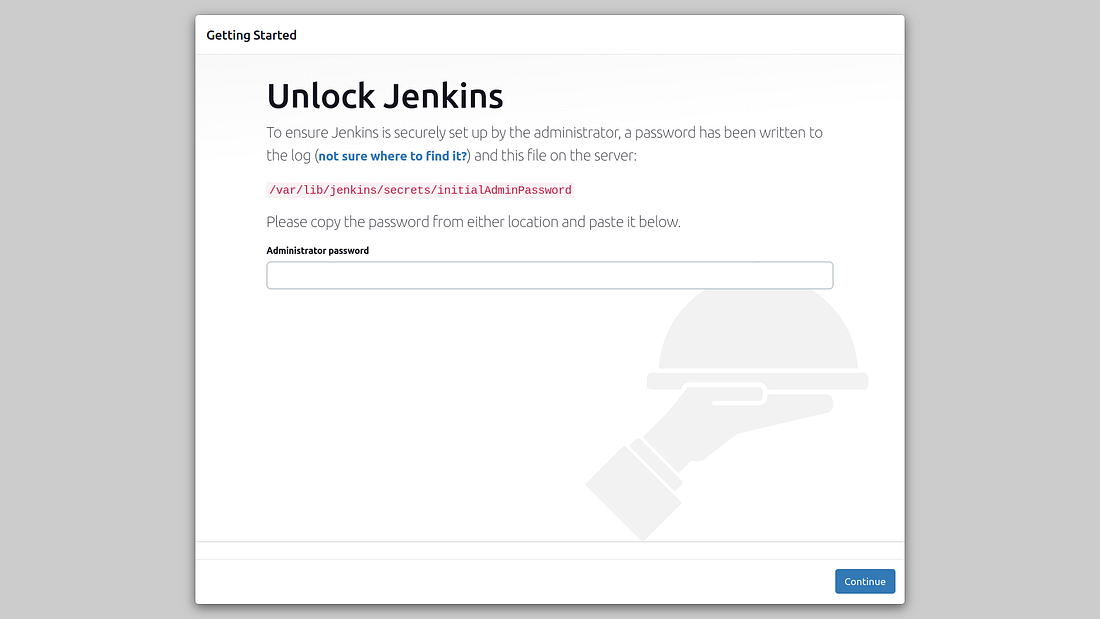
You can see a page like this which is requested for an Admin password. The password is stored in a location /var/lib/jenkins/secrets/initialAdminPassword and can be accessed by the below command:-
sudo cat /var/lib/jenkins/secrets/initialAdminPassword
There you are...........
If Jenkins fails to start because a port is in use, you can change the port number in configuration file:
sudo vi /lib/systemd/system/jenkins.service
You need to edit the line Environment="JENKINS_PORT=8080" and add your port to replace it. eg:8081
What happened here is you edited a systemd unit file. So we need to reload the units.
Restart jenkins daemon
sudo systemctl restart jenkins
Always check the jenkins daemon is running fine
sudo systemctl status jenkins
You can access the log of jenkins using the command:-
journalctl -xeu jenkins.service